New · Asienta for Android
Snap a receipt. Any currency. No bank logins.
Asienta reads the amount, date and shop, splits a supermarket receipt by category, and keeps every entry in its own currency at that day’s rate. Every number in the reports opens the entries behind it.


Web, iPhone, Android and Telegram · Core features free forever · English, Russian and Spanish
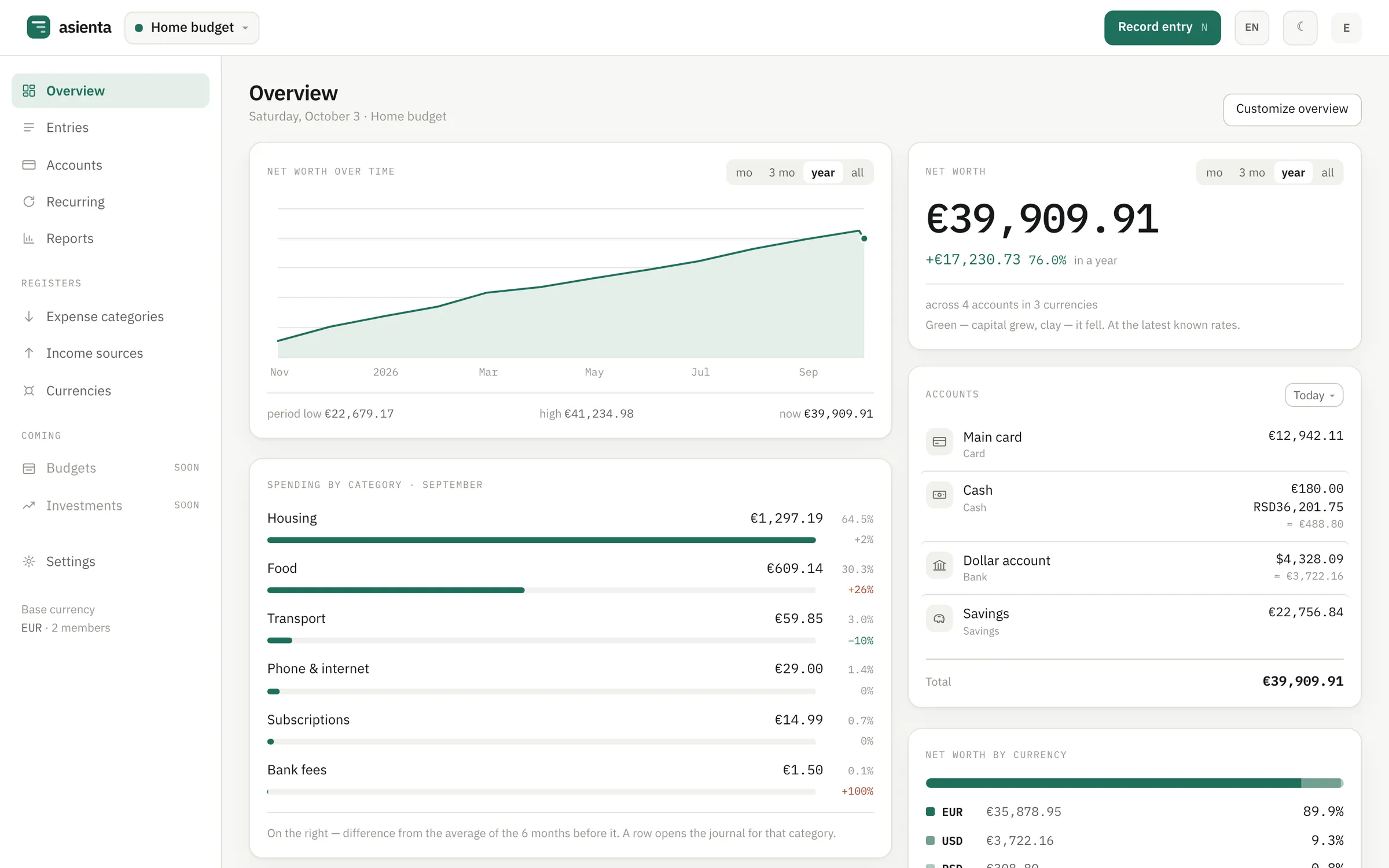
Everything a careful household ledger needs — and nothing it doesn’t.
Multi-currency by design
One account can hold euros, dollars and dinars. Each entry keeps its currency and the rate of its own date — or the rate you actually got.
Numbers you can open
Net worth, cash flow, spending by category, trends. Click any figure and see the exact entries that make it up.
One ledger for the family
Invite your partner to record expenses, or give someone view-only access. Everyone sees the same numbers.
No bank logins, ever
Asienta never asks for your bank password. Even platform administrators have no access to your amounts.
Every amount in its own currency. Every total in yours.
Record a dinar taxi, a dollar invoice and a euro rent side by side. Asienta shows the equivalent in your base currency — and you can switch that currency any time without rewriting history.
- Reference rates loaded automatically every day
- Your own rate on any entry or exchange
- Transfers with fees, exchanges between any pair

See where the money went. Then see why.
Pick a period, account and categories. Every cell, bar and tile links to the entries behind it, so a surprising number is one click from an answer.

Press N. Type. Enter.
The entry panel opens over your journal. Amount, account, category — in the order you think of them, with recent accounts first. Made a mistake? Edit or undo; nothing is lost. Rent and subscriptions repeat on a schedule — set them up once.

Your categories, not ours
No preset list to clean up. A five-step setup walks you through your base currency, first account, categories and first entry.
Coins next to your money
Bitcoin, Ether and stablecoins are currencies with a daily rate; a crypto wallet is an account. The overview shows what your coins are worth and what you put in, and the forecast doesn’t swing with their price.
How crypto works →Snap the receipt
The phone apps read the amount, date and shop from a receipt photo or a banking screenshot — and splits a supermarket receipt by category, line by line. The Telegram bot does the same.
- Administrators can’t read amounts
- It’s enforced by database permissions, not by policy.
- Households are isolated
- Row-level security separates every household’s data.
- No third-party trackers
- Fonts are self-hosted; the app loads nothing from other domains.
- Nothing disappears silently
- Voided entries can be restored; edits keep the previous version.
Questions
Is Asienta free?
Yes. Recording entries, reports, currencies and a shared household ledger — the core of Asienta — will always be free. If paid extras ever appear, they will be additions on top, never what you already use for free.
Does it connect to my bank?
No. You record entries yourself. Asienta never asks for bank logins or stores them.
Which currencies are supported?
Pick a currency from the list and its reference rate loads automatically every day, or add your own currency with a rate you set. One account can hold several currencies.
Can I use the rate I actually got at the exchange office?
Yes. Name your own rate in the entry — it is kept as is. The reference rate is only used where you didn’t name one.
Can my family use the same ledger?
Yes. A household is a shared ledger: invite members who record entries, or viewers who see every figure but can’t change anything.
Can I get my data out?
Every report downloads as CSV. A full export of all your data is on the roadmap.
Is there a mobile app?
Yes. Asienta for iPhone is on the App Store: quick entry, receipt scanning, a home-screen widget and Face ID. Asienta for Android, with the same features, is on Google Play. The web version works in any phone browser.
Can I record expenses from Telegram?
Yes. Connect the @AsientaAppBot bot in Settings → Telegram and send it one message: “coffee 4.5 eur” — the expense is in your journal at once. The bot picks the category from your past entries.
Start your ledger.
Registration is open: a name, an email and a password, and you can start recording. The core features are free, always.